 RetroInbox
Free: zoom in with Chrome
Press Ctrl and + to make everything bigger, Ctrl and - to make it smaller, and Ctrl and 0 to go back. On a Mac use ⌘ instead of Ctrl. Chrome remembers the zoom for Yahoo Mail. The downside is that menus and buttons grow too, so less mail fits on the screen.
With RetroInbox
- Text size: Small, Normal or Large, for the message list and for the message you open.
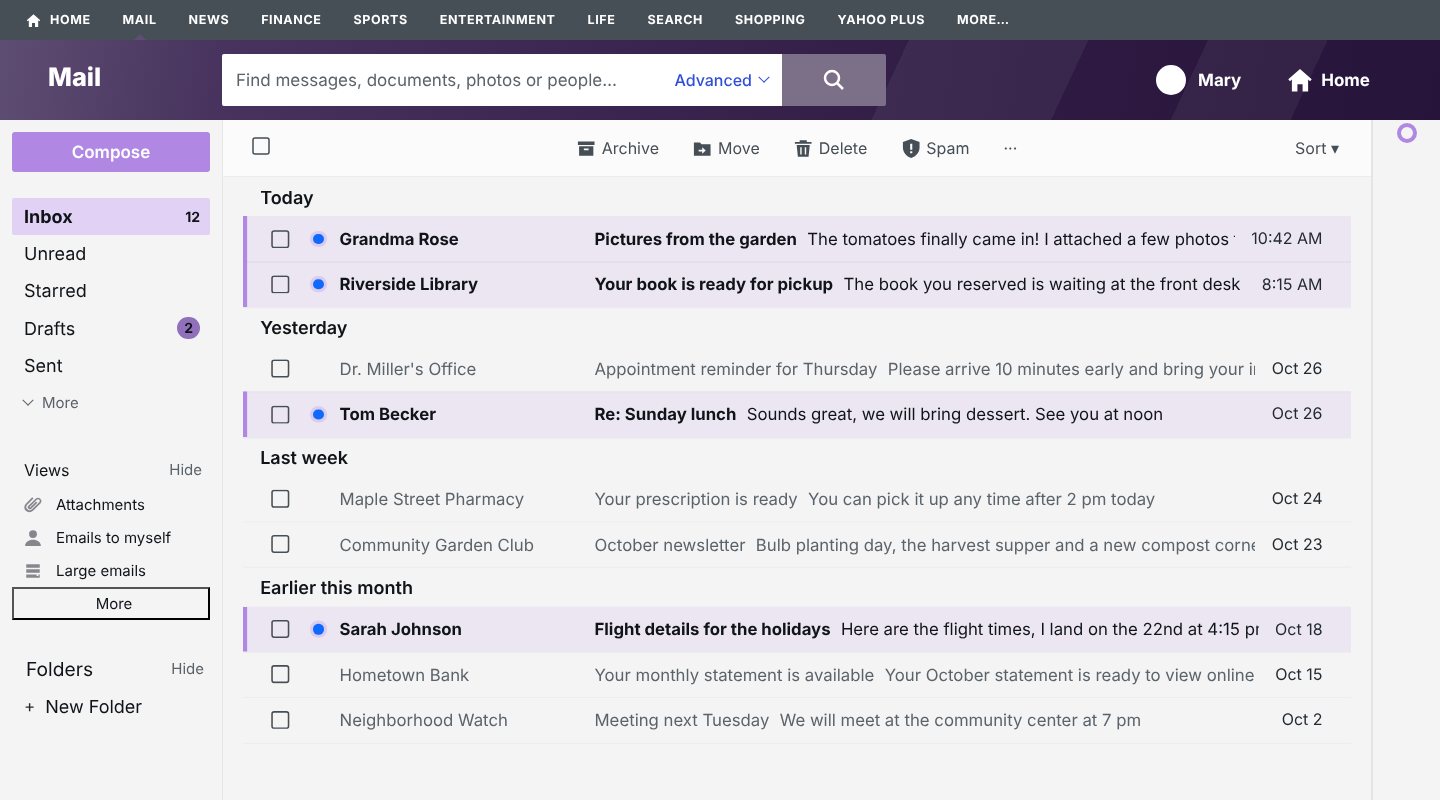
- Unread mail stands out: a colored bar and a light background, so new messages are easy to spot.
- The sender's real address: shown next to the name in an open message, which helps you notice a fake "bank" or "delivery" email.
- One inbox: hides the Priority, Offers and Newsletters tabs, so every message is in one list.
- Fewer interruptions: no ads, and Yahoo's promotional pop-ups are closed with their own "Not now" button.
- Your language: RetroInbox works in 13 languages, and Chrome's built-in translator can translate Yahoo's menus on your computer.
How to turn these on
- Install RetroInbox from the install page.
- Click the RetroInbox button next to Chrome's address bar. If you don't see it, click the puzzle piece icon and pin RetroInbox.
- Under Easier reading, choose the text size and tick the options you want. Yahoo Mail changes right away.
Install RetroInbox for Chrome7 days free, then €5.99 a year. No card needed for the trial.